
Native & fast
WebView2 on Windows, WKWebView on macOS, loopback server on Linux. Incremental file watching updates your graph in ~400 ms.
Cortex 2.5.1 · Local-First Knowledge Studio · MIT Open Source
Cortex reads a folder of Markdown and draws it as a cortical surface — folders as regions, notes as stars, wikilinks as fibre tracts — and keeps the reasoning trail behind every decision.
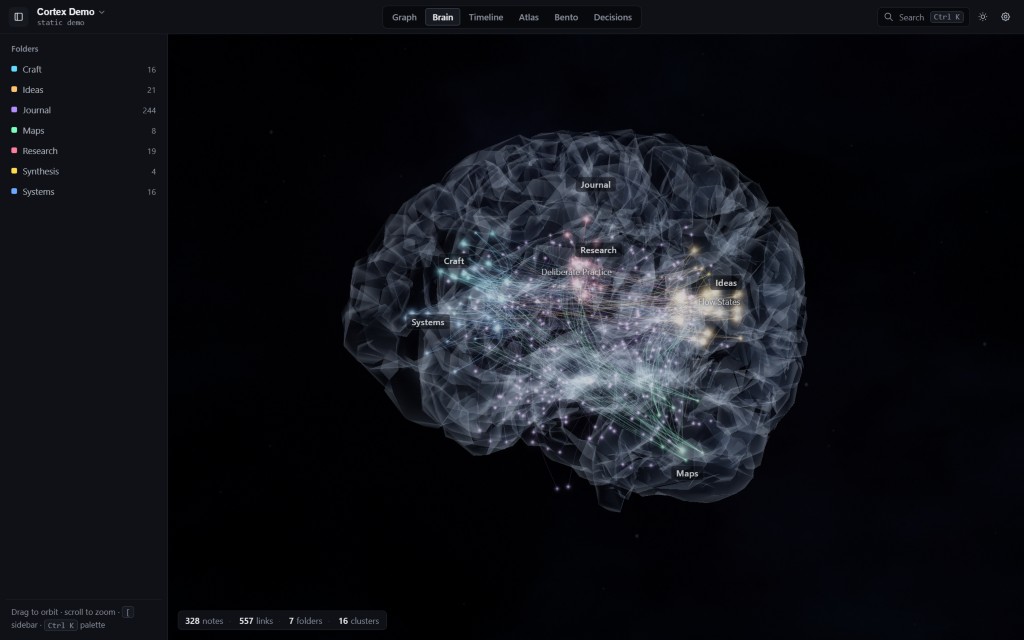
One vault scan, six lenses
The layout is deterministic, so a folder stays where you learned it. Switch between Brain, Graph, Timeline, Atlas, Bento, and Decisions in a keystroke — or run anything from the unified Command Palette.
Folders become regions on a translucent cortical surface and wikilinks become fibre tracts you can orbit and click straight into.
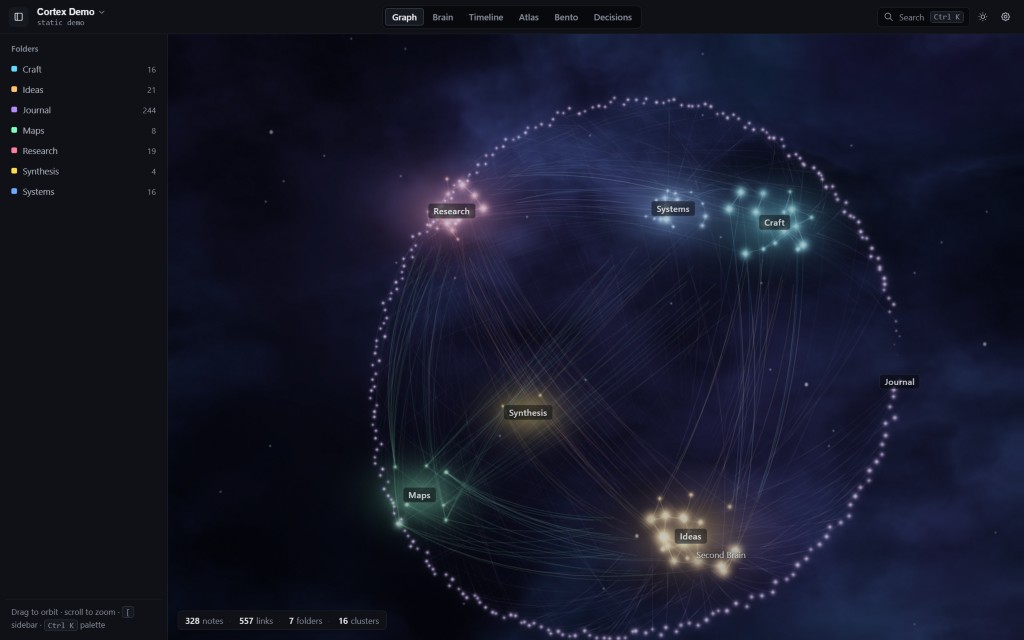
Spot orphan notes, cross-project bridges, and local two-hop neighbourhoods without losing the global vault context.
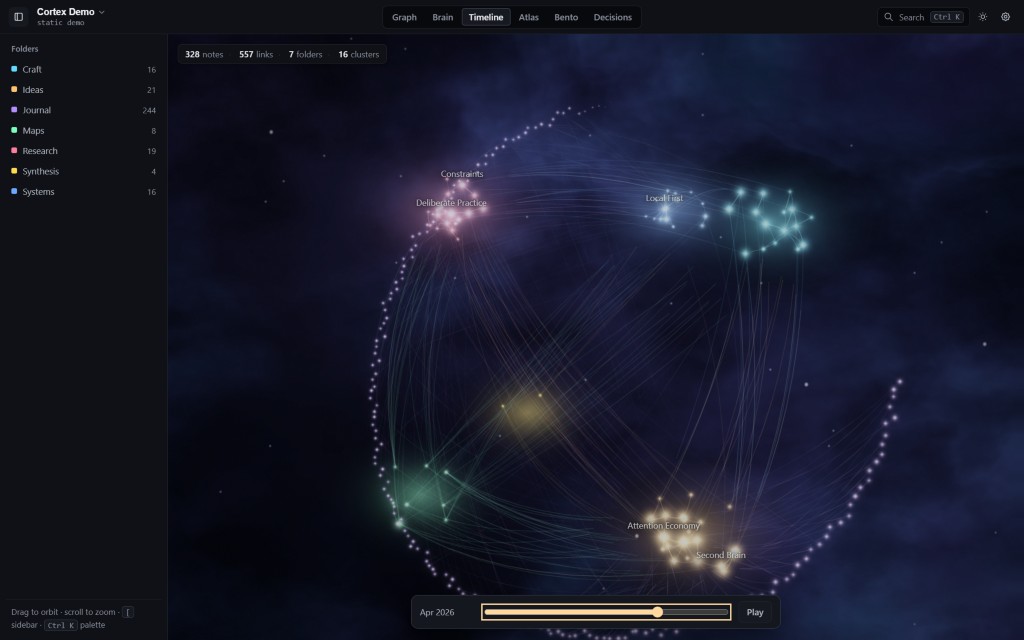
Scrub or play your vault in creation order to answer “what was I thinking then?” without digging through nested directories.
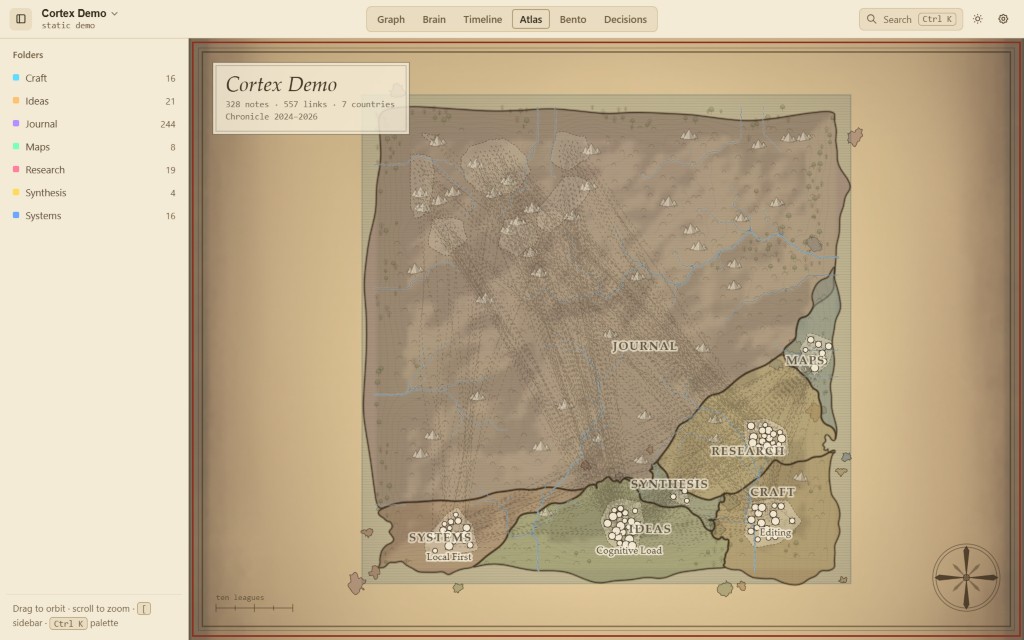
A deterministic cartographic parchment map sized by note count, turning dense journals into stippled terrain instead of label walls.
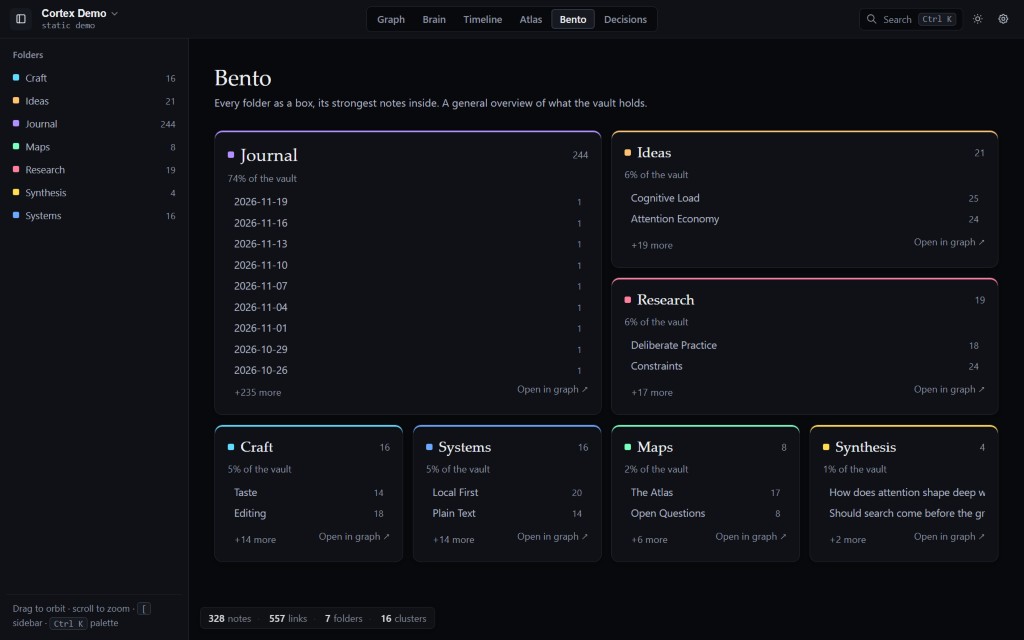
Each folder becomes a box sized by its share of the vault, surfacing its highest-signal notes with zero WebGL overhead.
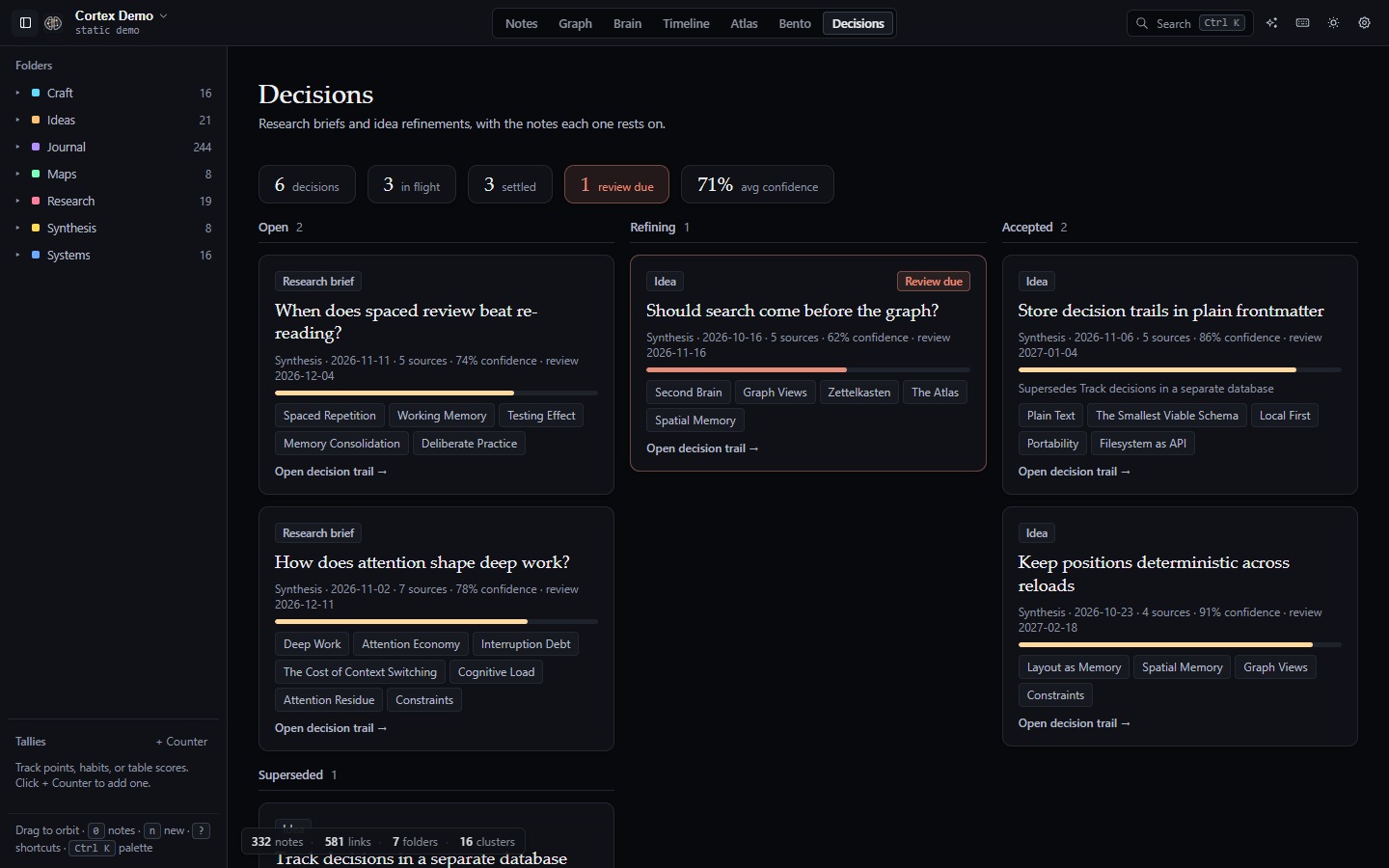
Research briefs and idea refinements grouped by frontmatter status, complete with confidence meters, review dates, and clickable sources.
The “why” layer
Select two or more notes to build a Research brief or Refine idea note in plain Markdown. Cortex extracts line-cited claims, shared tags and references, unlinked overlaps, flagged caveats, and open questions — then tracks confidence, review dates, and superseded choices directly from your frontmatter.
---
type: idea
status: accepted
confidence: 0.8
review_on: 2027-01-15
supersedes: "[[Earlier decision]]"
---L#), shared links, and unlinked overlaps into one brief.review_on passes.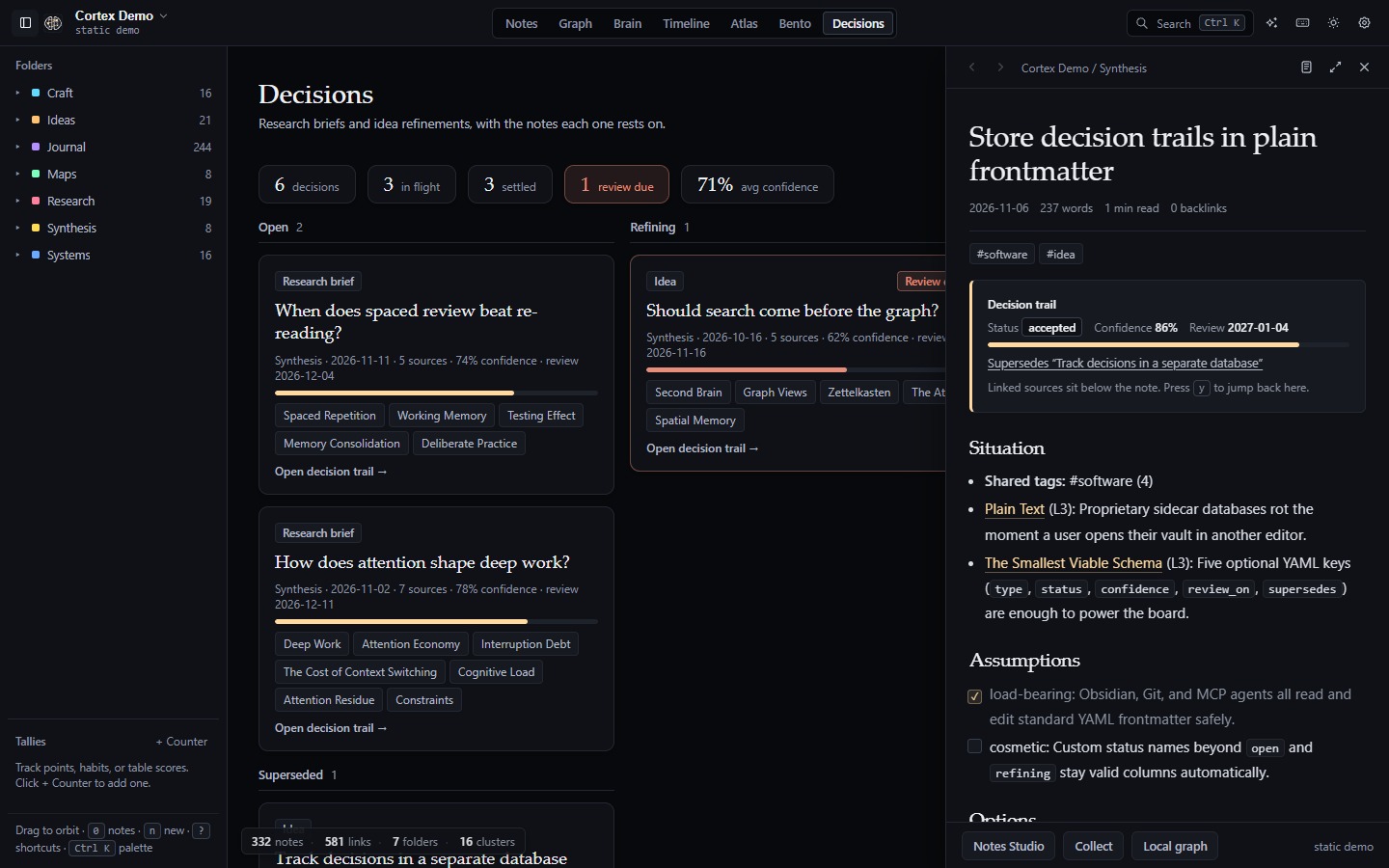
y inside any brief or idea note to jump straight to its reasoning trail.Agent-safe MCP
No built-in LLM or API key is required. When you want Claude Desktop, Cursor, or Zed to read or update notes, cortex mcp enforces strict guardrails over stdio:
cortex agents ~/Notes --off stops connected clients on the next call).expect hash from cortex_read_note so edits never clobber concurrent changes..obsidian/ writes; every mutation appends to agent-writes.jsonl.cortex mcp-config --vault ~/Notes --write
cortex mcp ~/Notes
cortex agents ~/Notes --offBuilt to outlive any app
One self-contained Rust binary with a native window on Windows and macOS, Dark & Warm Light studio themes, and an optional MCP server when you want an AI client to work inside your guardrails.
WebView2 on Windows, WKWebView on macOS, loopback server on Linux. Incremental file watching updates your graph in ~400 ms.
v2 introduces Dark, Warm Light & System themes, collapsible drag-resizable panels, Focus reading mode, and a unified Ctrl K command palette.
Open your existing vault in place. Wikilinks, aliases, anchors, tags, and YAML frontmatter work untouched — deleting the app leaves your notes spotless.
Zero telemetry and no built-in model. The optional GitHub release check can be toggled off in Vault settings → About or disabled globally with --offline.
Install Cortex 2.5.1
Published SHA-256 checksums (SHA256SUMS.txt) ship with every GitHub Release. Prefer to test first? Launch the 332-note live demo in your browser.
Per-user installer (no admin rights) or portable unpacked archive. Native WebView2 window + system tray.
Self-contained Cortex.app bundle using native WKWebView and menu-bar tray integration.
Single self-contained binary with zero GTK/WebKit system dependencies — opens directly in your browser or app window.
git clone https://github.com/thijnperd/obsidian-cortex.git
cd obsidian-cortex
cargo run -p cortex -- seed-demo demo
cargo run -p cortex -- serve demo --open