The brief
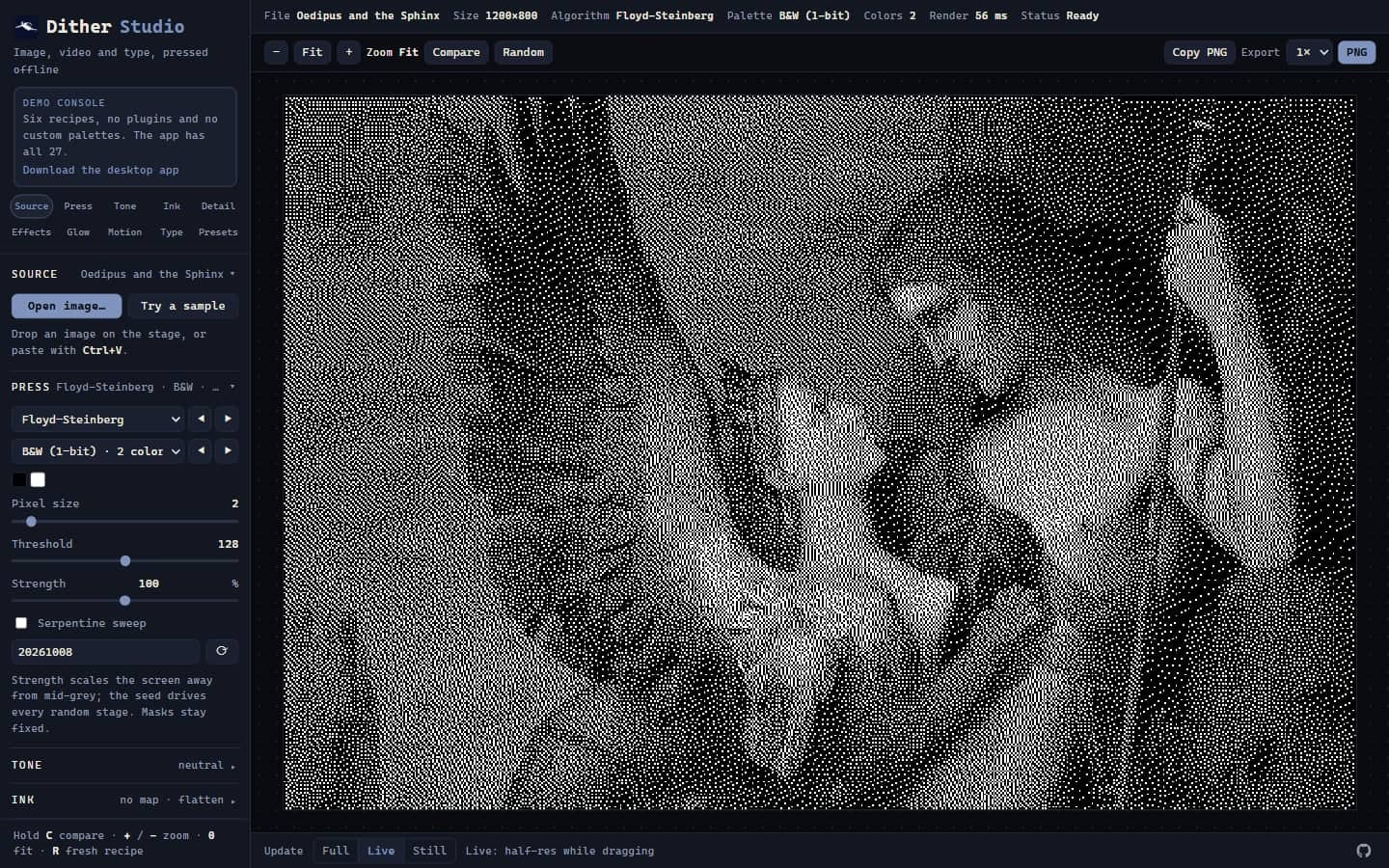
Dithering is the step between an image and the machine that prints it: reduce the palette, then decide which pixels get to keep which tone. It is the look of newsprint, early Macintosh screens, pixel art and a lot of album covers. The tools that do it are usually either a plugin inside a larger editor or a web converter that uploads your file and hands back a JPEG.
Dither Studio is the opposite arrangement. You open a folder, drop in an image or a video, tune the result, and export. Nothing leaves the machine, and the dither is the product rather than an effect buried three menus deep.
Two rules that shaped everything
-
No build step. The web build opens straight from
index.html: plain scripts loaded from the folder, no bundler, no framework runtime to boot before the first pixel appears. - No runtime dependencies in the web builds. Every algorithm, palette and export path is code in the folder. Nothing breaks because a package disappeared. The desktop build's only runtime dependency is Electron.
Those rules are why the app can be handed over as a folder. They also set the ceiling: anything the app needs has to be written, not installed.
What is actually in it
- 46 dither algorithms, from ordered patterns to error diffusion.
- 30 built-in ink sets, plus five installable palette packs that add 25 palettes.
- Per-object layers on the desktop build, so a subject and a background can dither differently.
- A stack of up to 25 effects, each with its own amount and mode.
- Text mode, for turning an image into a grid of characters.
- Video in, WebM out, with the same stack applied per frame.
- Exports: PNG up to 8×, text grids, WebM, and a JSON recipe of the whole setup.
Three decisions
Canvas 2D, not WebGL
The engine is plain JavaScript working on pixel buffers: process() takes a
source image and settings and returns the dithered result as data. Canvas 2D is only
the surface it is drawn onto — one canvas pixel per working pixel, with
putImageData, and zoom handled in CSS so a render is a single paste. No
shader, no GPU-specific path. That is what lets the same engine file run unchanged in
the web demo, the launcher and the desktop app.
A recipe is a file
The settings serialise into a plain JSON recipe: algorithm, palette, layer geometry and the effect stack. That makes a result reproducible without screenshots or notes, and it means the app's state is inspectable with a text editor. Recipes are also the closest thing the app has to a preset format — there is no account or cloud library to sync them through.
Three builds, one engine
The web demo, the launcher and the desktop app share the engine, the sample table and the video clock byte for byte, and a sync script fails the build if a copy drifts. The shells are separate: the demo is tuned for a browser and ships six recipes with no plugins or custom palette import, while the desktop app adds native menus and dialogs, the full catalogue and the tutorial. Same engine, different amounts of app around it.
What local-only costs
No sync, no shared preset library, no collaborative editing. Those are features I chose not to have, but they are not free: every one of them is something a user has to do by hand, usually by sending a file. The compensation is that the app opens instantly, works on a train, and cannot lose your work to a session expiry.
The launch film was the best test of that promise: 40 seconds at 1080p and 24 fps, rendered directly from real engine exports rather than a mock-up. If the export path had a weak frame, it would be in the film.
Try it
The web app opens with a sample image and no sign-in. The source is public, and the launch film shows the video path end to end.