Generic planners start too late
A planner app assumes you already know what has to be done. At school, the hardest part comes earlier: the test calendar is published by the school, the study hours are supposed to be divided across subjects, and the two live in different places. Most students resolve this with a paper agenda and a screenshot.
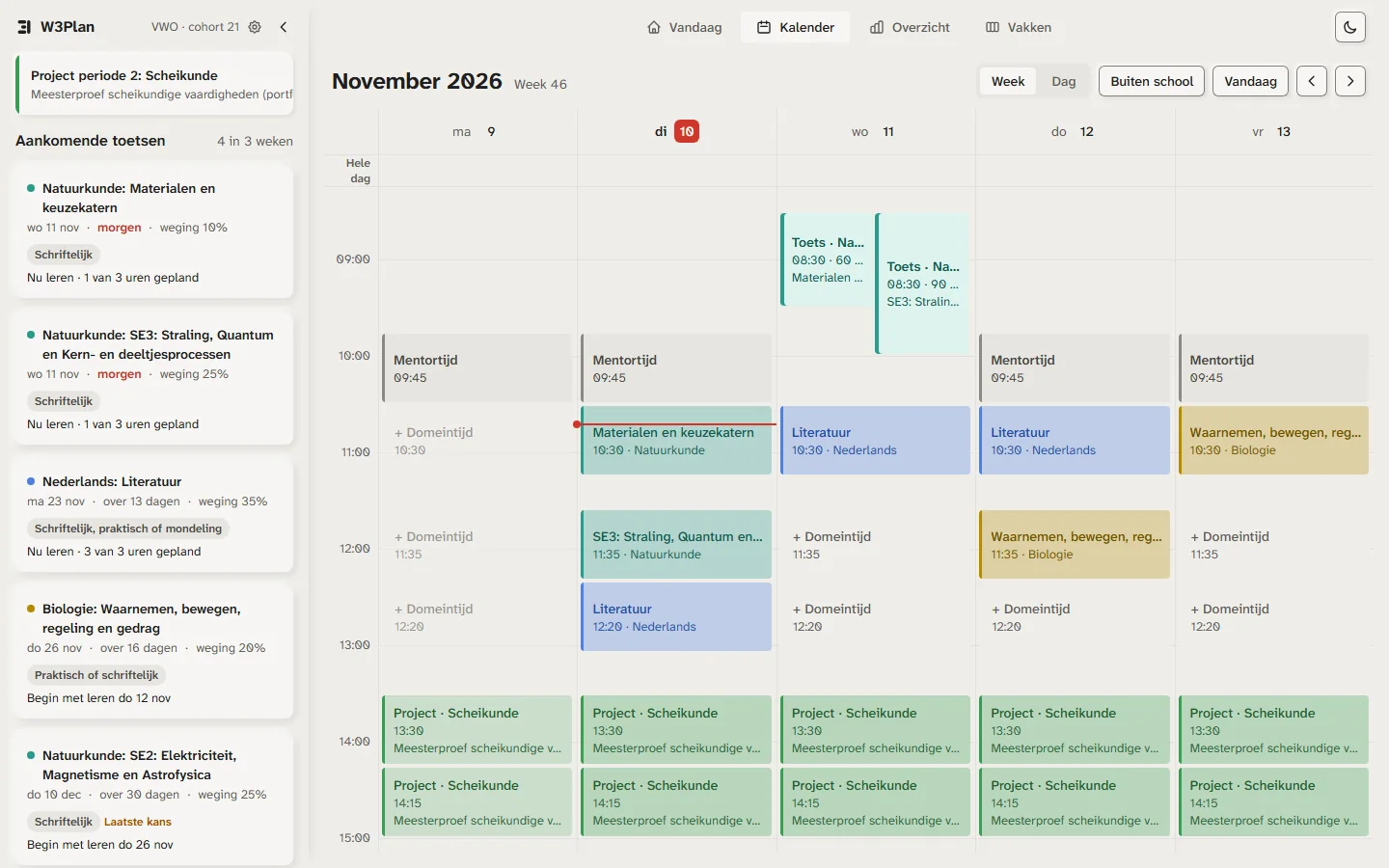
W3Plan starts from the school's PTA data and builds the week around it: exams, domain hours, per-test checklists and grade calculators in one place.
Public school data, private student data
The split is deliberate. PTA data is published by the school, so it is loaded read-only from Supabase or from a local JSON file. A student's own schedule never leaves the device and there are no student accounts, which removes both the login flow and the reason to store anyone's data centrally.
The import covers 643 PTA components across 29 subjects, 291 of which carry a date; a separate SE overview adds 133 test moments. That is small enough to ship as a read-only dataset and large enough that manual entry was never realistic.
What a week looks like
- A weekly calendar with school exams and study blocks side by side.
- Domain hours, so time is divided across subjects rather than by mood.
- Per-test checklists for what actually has to be learned.
- Grade calculators, because the next question after a test is what it did to the average.
Shipping to real students
The desktop builds auto-update, and ship as a Windows installer and as a DMG or ZIP on macOS (the ZIP is what the updater uses). Distribution is the least glamorous and most fragile part of a desktop app: installers, update channels and two platforms that fail in different ways. It is also the part that turns a project into something classmates can actually use.
The MCP bridge
W3Plan ships with a local MCP bridge so an assistant can read the week and propose study blocks. The proposals land in the calendar, where a student can review them like any other entry — the planner stays the place where the decision is made.
Built with two others
W3Plan is a team project. Yannis Raijmakers, Billie and I built it for senior secondary students at Were Di Drie, which meant the data model had to survive contact with a real school calendar rather than a sample one. The walkthrough linked above shows the app with that data.
Try it
Watch the walkthrough or get the builds from the installers repository.